

Orders Arrive on Their Own
Mockspark checks each connected shop for new paid orders every 15 minutes, so an order usually appears within a quarter of an hour of being paid. You do not need to import anything or press a sync button. If an order is paid, it is coming.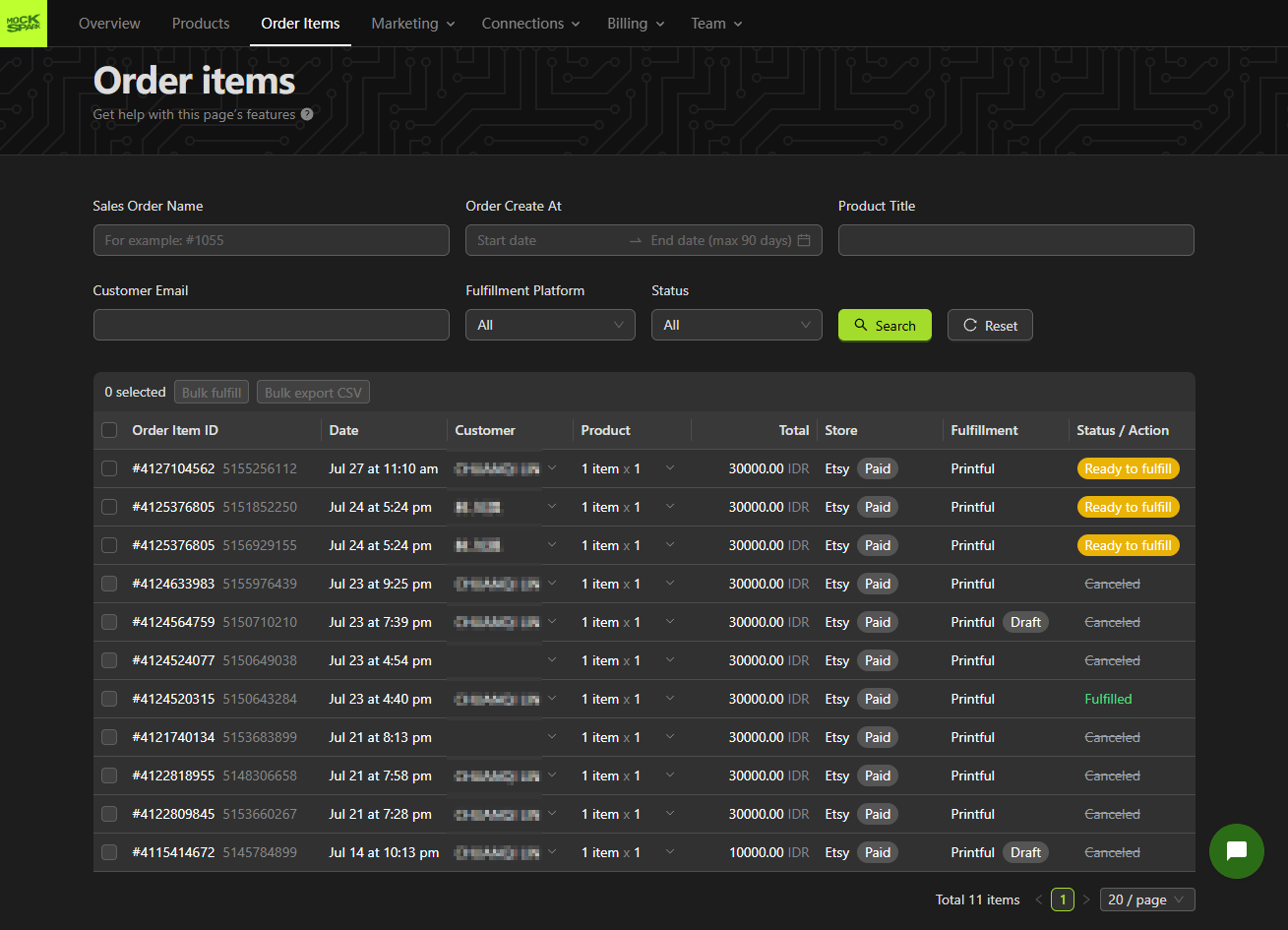
Only paid orders are picked up. Etsy carts, drafts, and unpaid orders are ignored.
Order Statuses
An order moves through these on its way out the door.Sending an Order to Production
Open an order that is Ready to fulfill and click Send to Fulfill. Mockspark passes across the print file, the variant, the buyer’s shipping address, and the quantity.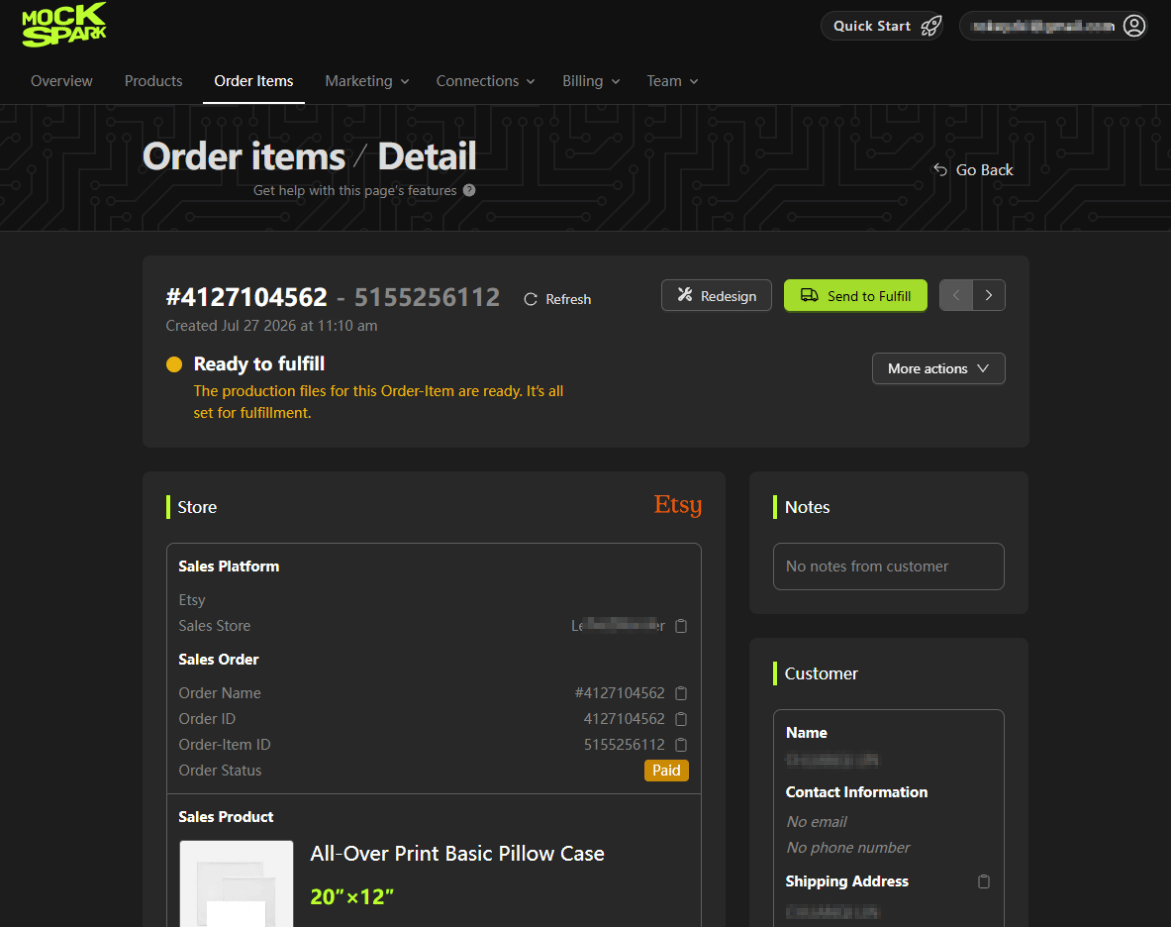
Tracking Goes Back to Etsy
When your print provider ships, Mockspark marks the order as shipped on Etsy and sends the tracking number over. Etsy then notifies the buyer, the same as it would for any other order.The One Exception: Orders with More Than One Item
Etsy applies shipping updates to a whole order rather than to individual items. If a buyer bought three things in one order, there is no way for an app to mark only one of them as shipped. Because of that, Mockspark does not send shipping updates for Etsy orders containing more than one item. It would either notify the buyer too early or mark items as shipped that have not been. For these orders, mark the order as shipped in Etsy yourself once everything has gone out. Mockspark shows a reminder on any order this applies to, so you will not have to remember on your own.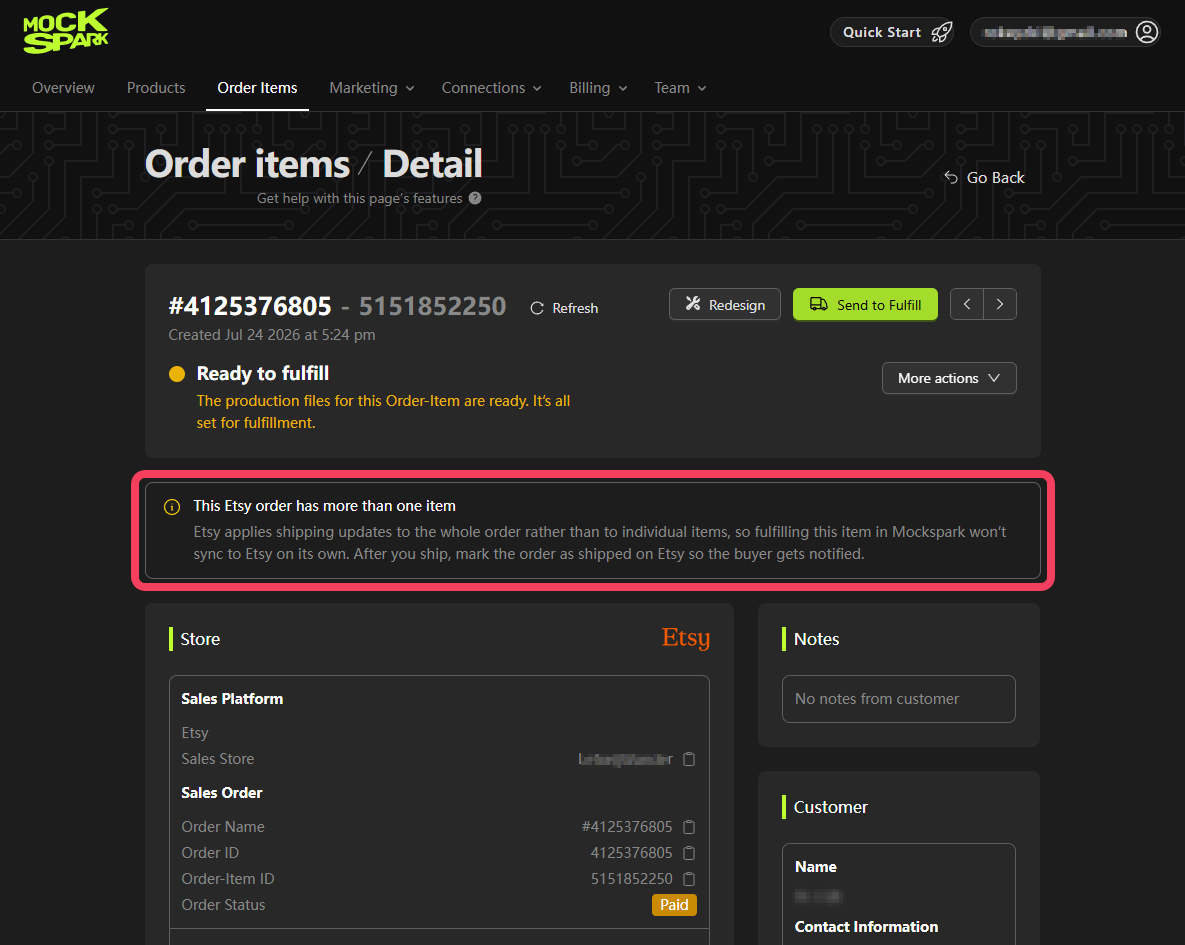
Refunds and Cancellations
If you fully refund a buyer on Etsy, Mockspark notices on its next check and marks the order Canceled. Two things worth knowing: Partial refunds are not tracked. If you refund part of an order, Mockspark leaves it alone, since the order is still going ahead in some form. Cancelling does not recall production. If you already sent the order to your print provider, cancelling in Mockspark does not stop it. Cancel it in your print provider’s dashboard too, and do that quickly, because once production starts you are paying for it.Common Questions
An order I can see on Etsy is not in Mockspark yet
An order I can see on Etsy is not in Mockspark yet
Give it 15 minutes. If it still has not arrived, check the connections page for a Reconnect required tag, which stops syncing for that shop until you reauthorize.
The order says Unfulfillable
The order says Unfulfillable
The buyer did not supply a usable customization ID. Send them the design link from the order page. Full walkthrough here.
Can I edit the design after the order arrives?
Can I edit the design after the order arrives?
Yes. Open the order and change the design before sending it to production. Mockspark rebuilds the print file. Once the order is with your print provider, changes have to be handled there.
The buyer's address looks wrong to my print provider
The buyer's address looks wrong to my print provider
Print providers validate addresses and will reject ones that do not add up. Message the buyer on Etsy for a corrected address, then update it before sending the order to production.
The term ‘Etsy’ is a trademark of Etsy, Inc. This application uses the Etsy API but is not endorsed or certified by Etsy, Inc.