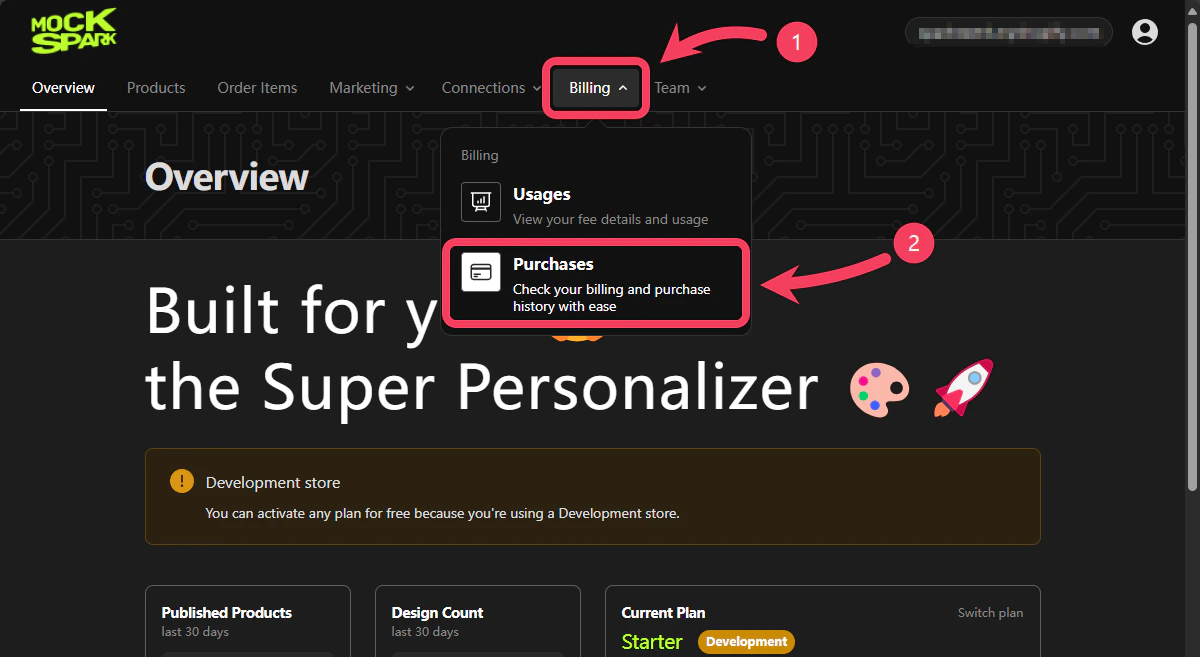
- Select Billing section from the top navigation bar.
- In the dropdown menu, click on Purchases.
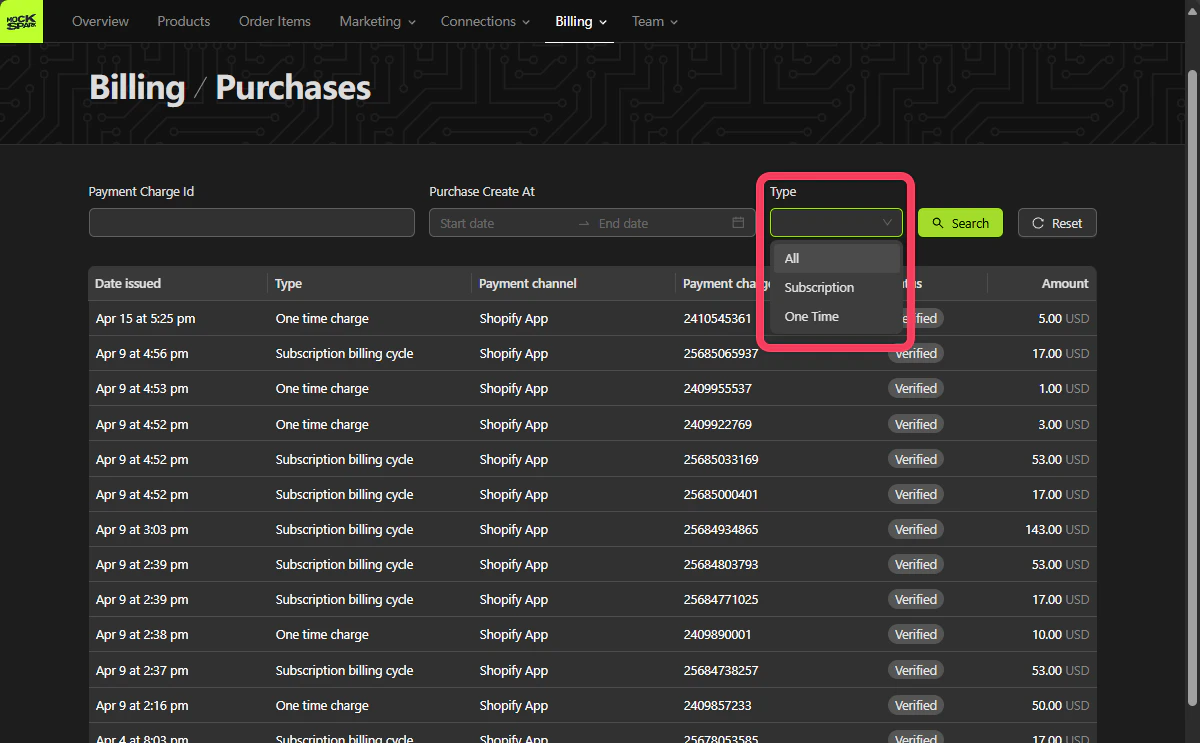
Search
The search area in the Purchases section supports the following two filter options:Payment Charge Id: The unique Payment Charge ID provided by Shopify after a payment is completed.Purchase Create At: The date and time when the purchase was created. You can filter by a date range.Type: Type of purchase. Supports bothSubscriptionandOne Time.
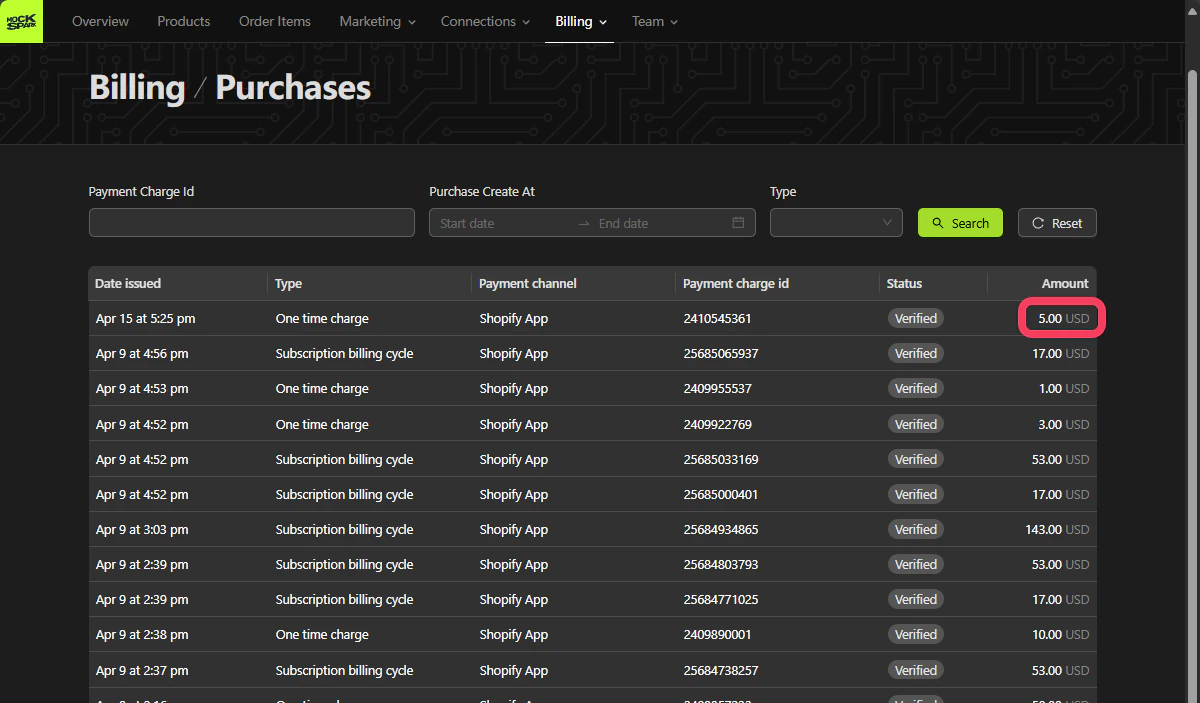
Purchases Table
This table lists all your payment records, including subscriptions and one-time charges, making it easy to review and manage your billing at any time. To review your billing details further, go to your Shopify Admin, then navigate to Settings and select Billing.