> ## Documentation Index
> Fetch the complete documentation index at: https://help.mockspark.com/llms.txt
> Use this file to discover all available pages before exploring further.
# Printful
> Seamlessly link your Printful store to streamline fulfillment
Once you've completed a quick setup, you’ll be able to create and publish **Printful** products directly from our platform. You can also sync orders to **Printful** for automatic production and fulfillment. This helps reduce manual work, so you can focus your time and energy on growing your business.
In the following steps, we’ll walk you through the **Printful** integration process to help you launch your print-on-demand business quickly and easily.
## Generate a New Token
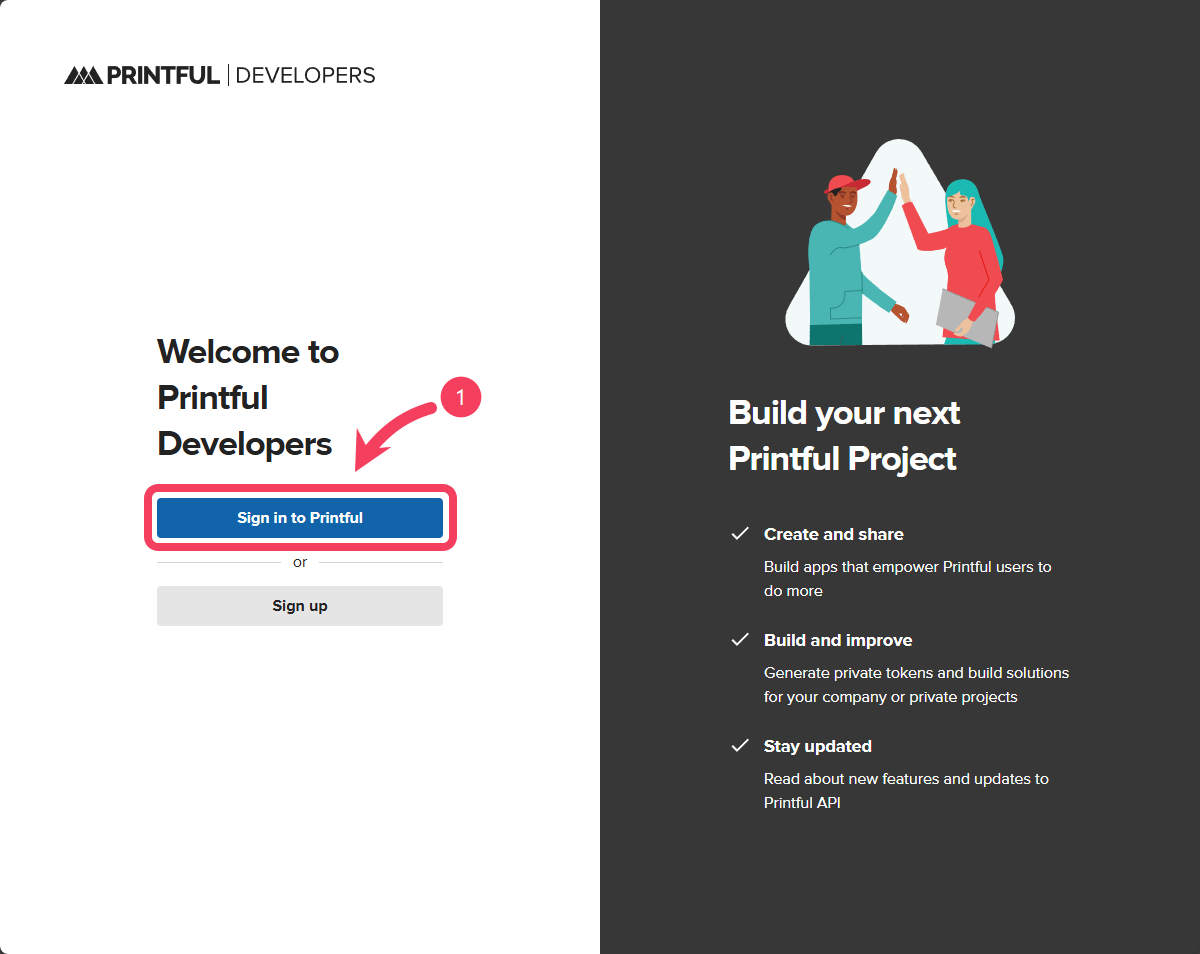
Go to [Printful Developers](https://developers.printful.com/login) and select **Sign in to Printful**.
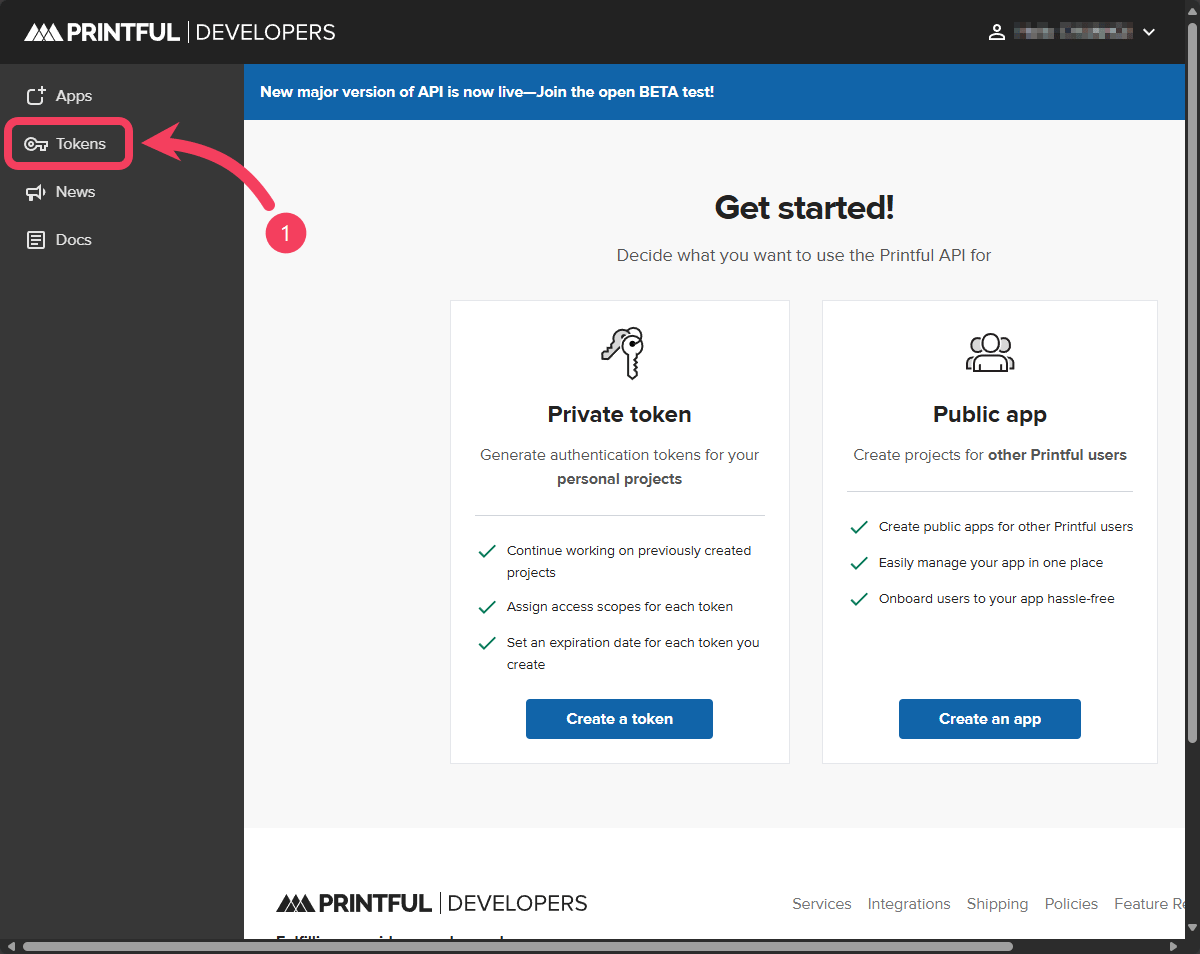
 After logging in successfully, select **Tokens** from the sidebar.
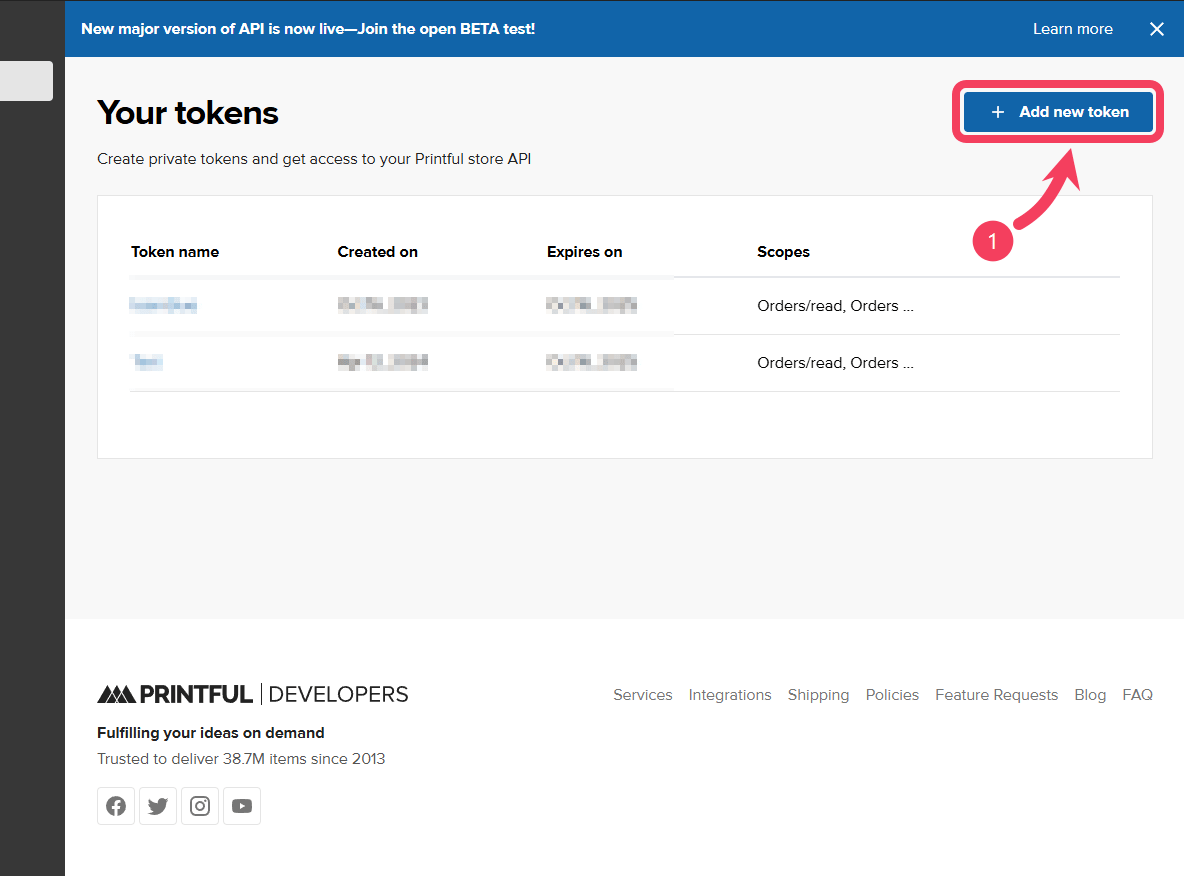
 On the `Your tokens` page, click the **Add new token** button in the top right corner.
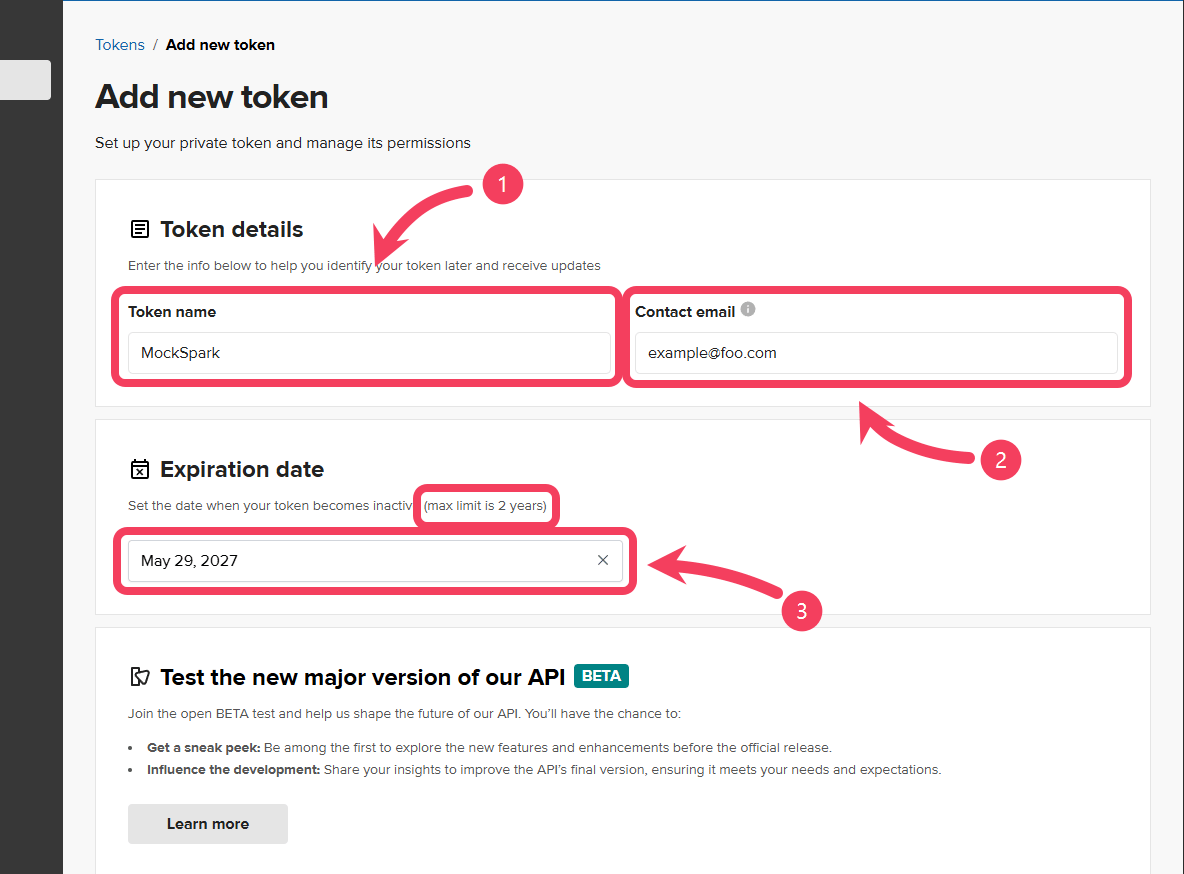
 On the `Add new token` page, fill out the following fields:
1. In the `Token name` field, enter a **Name** that helps you quickly identify the purpose of the token, such as `"MockSpark"`.
2. In the `Contact email` field, enter your primary **Email** address.
3. In the `Expiration date` field, set how long the **Token** should remain active. Once the token expires, it will no longer be usable. We recommend choosing the longest duration available.
The maximum expiration date supported by Printful is two years. they expire after that timeframe and you will need to generate a new one to replace it.
On the `Add new token` page, fill out the following fields:
1. In the `Token name` field, enter a **Name** that helps you quickly identify the purpose of the token, such as `"MockSpark"`.
2. In the `Contact email` field, enter your primary **Email** address.
3. In the `Expiration date` field, set how long the **Token** should remain active. Once the token expires, it will no longer be usable. We recommend choosing the longest duration available.
The maximum expiration date supported by Printful is two years. they expire after that timeframe and you will need to generate a new one to replace it.
 Next, follow these steps:
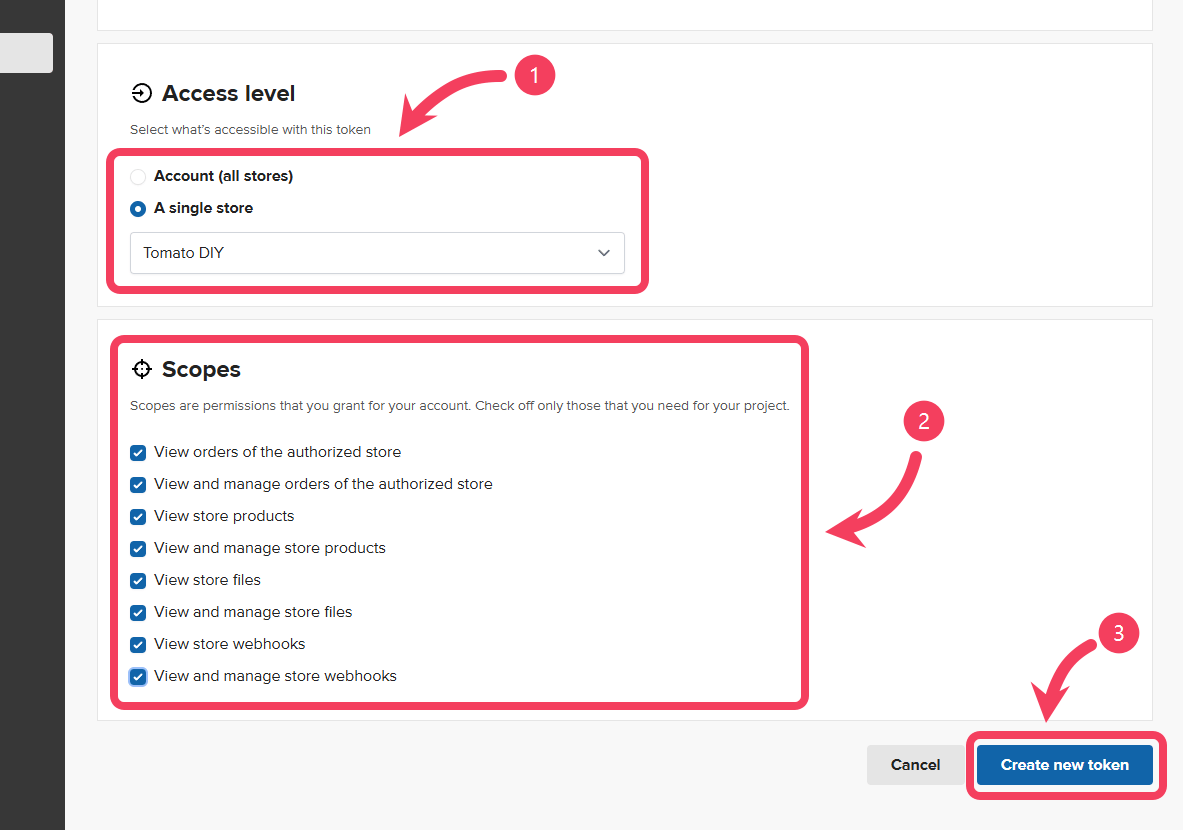
1. In the `Access level` field, switch to the **A single store** option, then select the **Printful Store** you want to connect to MockSpark from the dropdown menu.
2. In the `Scopes` section, check **all** available permissions.
3. Click **Create new token** to complete the process.
Next, follow these steps:
1. In the `Access level` field, switch to the **A single store** option, then select the **Printful Store** you want to connect to MockSpark from the dropdown menu.
2. In the `Scopes` section, check **all** available permissions.
3. Click **Create new token** to complete the process.
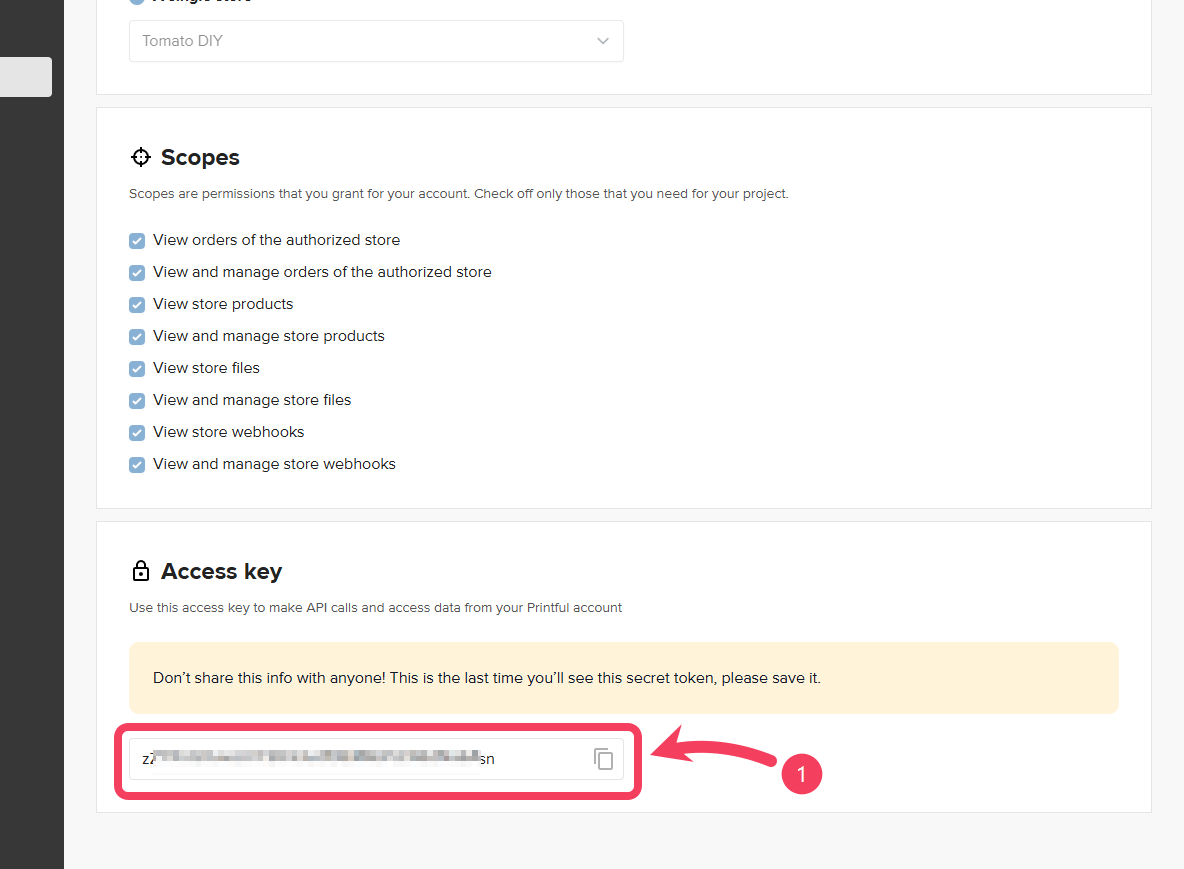
 Once the token is created, scroll down to the `Access key` section at the bottom of the page. You will see your newly generated token there. Copy the **Token** to your clipboard.
The Token from Printful is only shown once at the time it is created, so make sure to store it securely.
Once the token is created, scroll down to the `Access key` section at the bottom of the page. You will see your newly generated token there. Copy the **Token** to your clipboard.
The Token from Printful is only shown once at the time it is created, so make sure to store it securely.
 ## Connect to MockSpark
After you've received your Printful API token, go back to the **MockSpark** dashboard.
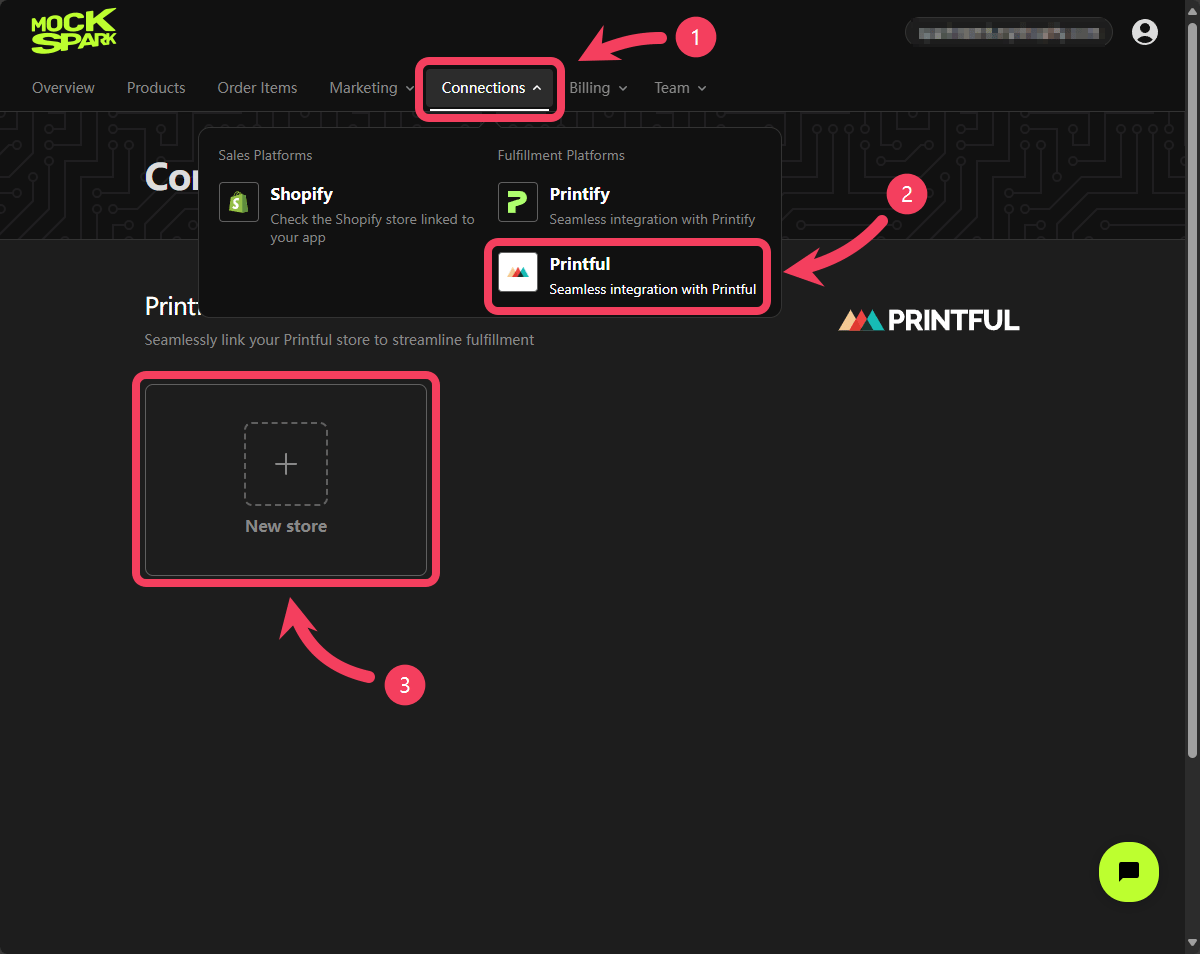
1. Select **Connections** section from the top navigation bar.
2. In the dropdown menu, click on **Printful**.
3. After the page loads, click **New store** on the screen.
## Connect to MockSpark
After you've received your Printful API token, go back to the **MockSpark** dashboard.
1. Select **Connections** section from the top navigation bar.
2. In the dropdown menu, click on **Printful**.
3. After the page loads, click **New store** on the screen.
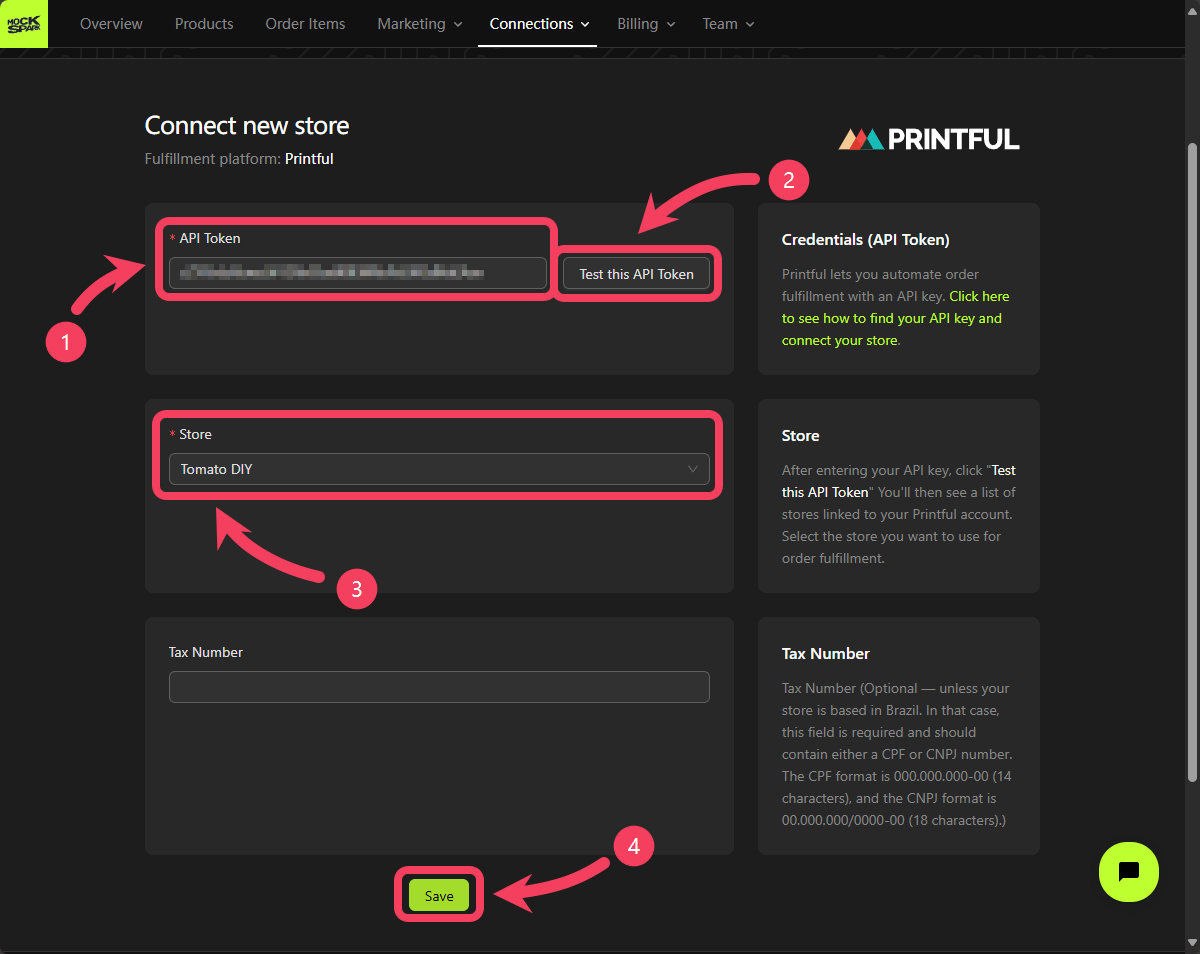
 On the page for connecting a new Printful store, you’ll need to complete the following settings:
1. In the **API Token** field, paste the token you copied from Printful.
2. Click the **Test this API Token** button to make sure the token is correctly formatted and working properly.
3. After confirming that the API token is set up correctly, go to the **Store** field and select the Printful store you want to connect.
4. Once everything is set up, click **Save** to complete the connection to your Printful store.
On the page for connecting a new Printful store, you’ll need to complete the following settings:
1. In the **API Token** field, paste the token you copied from Printful.
2. Click the **Test this API Token** button to make sure the token is correctly formatted and working properly.
3. After confirming that the API token is set up correctly, go to the **Store** field and select the Printful store you want to connect.
4. Once everything is set up, click **Save** to complete the connection to your Printful store.
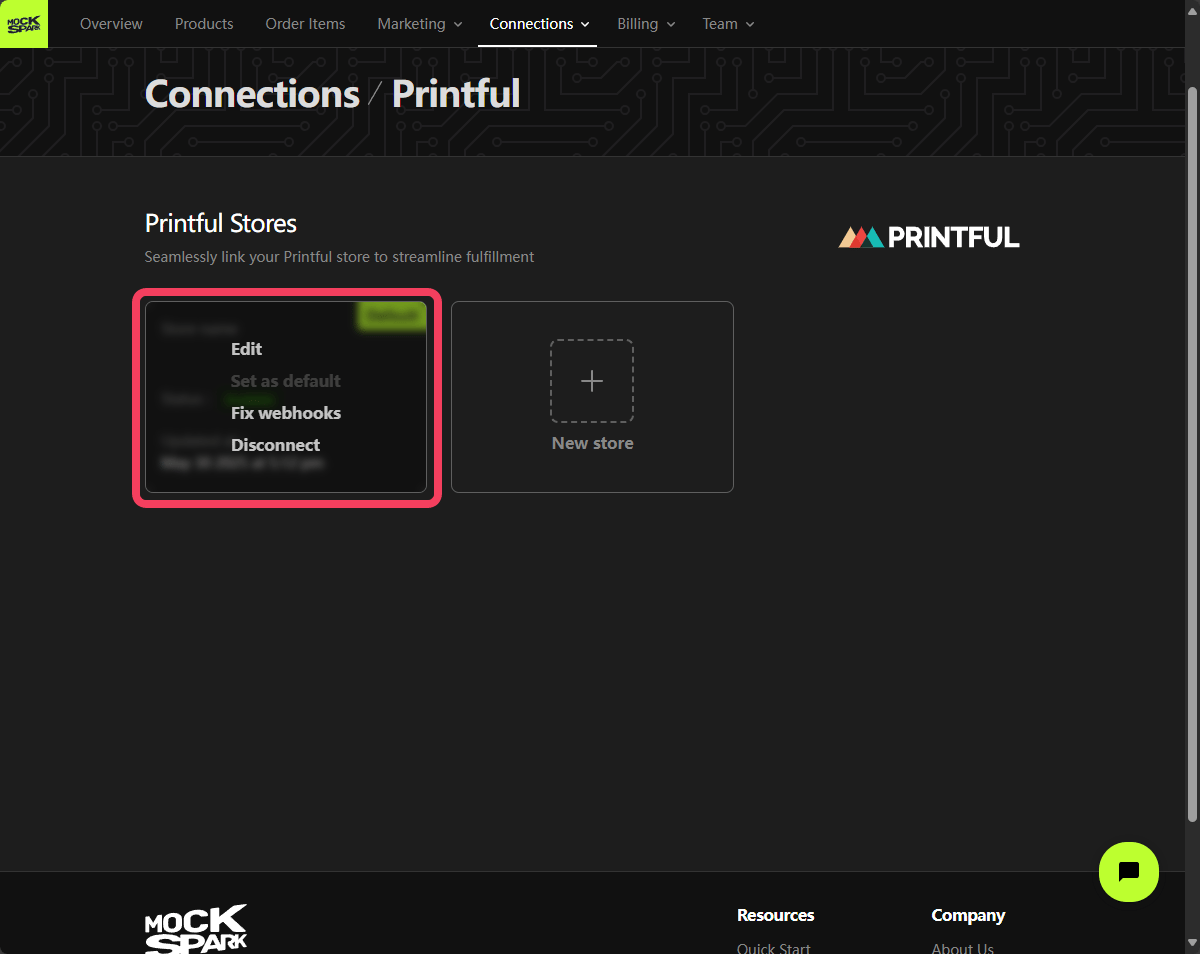
 After saving, you’ll see the store you just connected listed on the Printful Stores page.
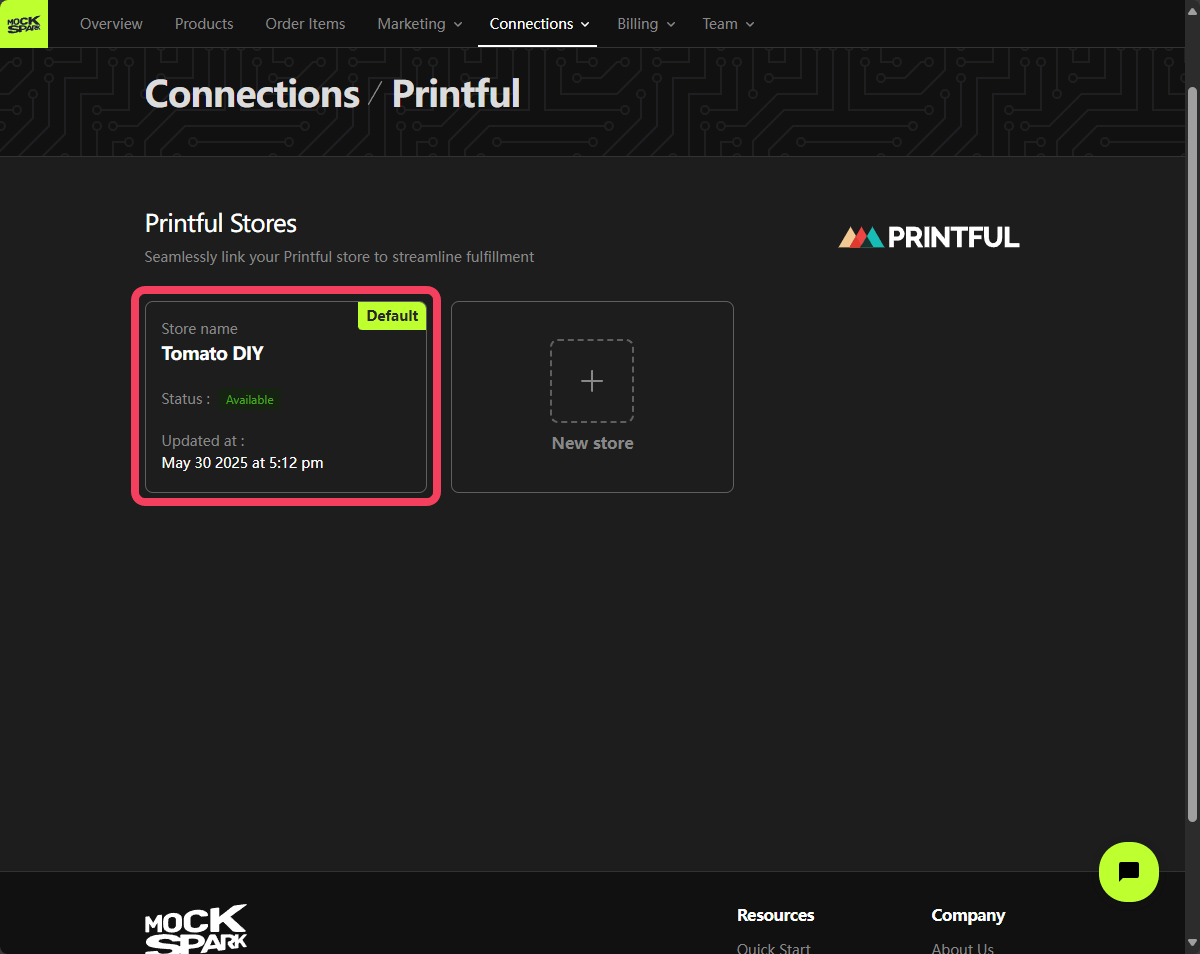 When you hover over the store card, you'll see options to edit or disconnect the store.
If a printful store is set as the default, all bulk fulfillment order-items will be processed through that store.
When you hover over the store card, you'll see options to edit or disconnect the store.
If a printful store is set as the default, all bulk fulfillment order-items will be processed through that store.