> ## Documentation Index
> Fetch the complete documentation index at: https://help.mockspark.com/llms.txt
> Use this file to discover all available pages before exploring further.
# Usages
> View your fee details and usage
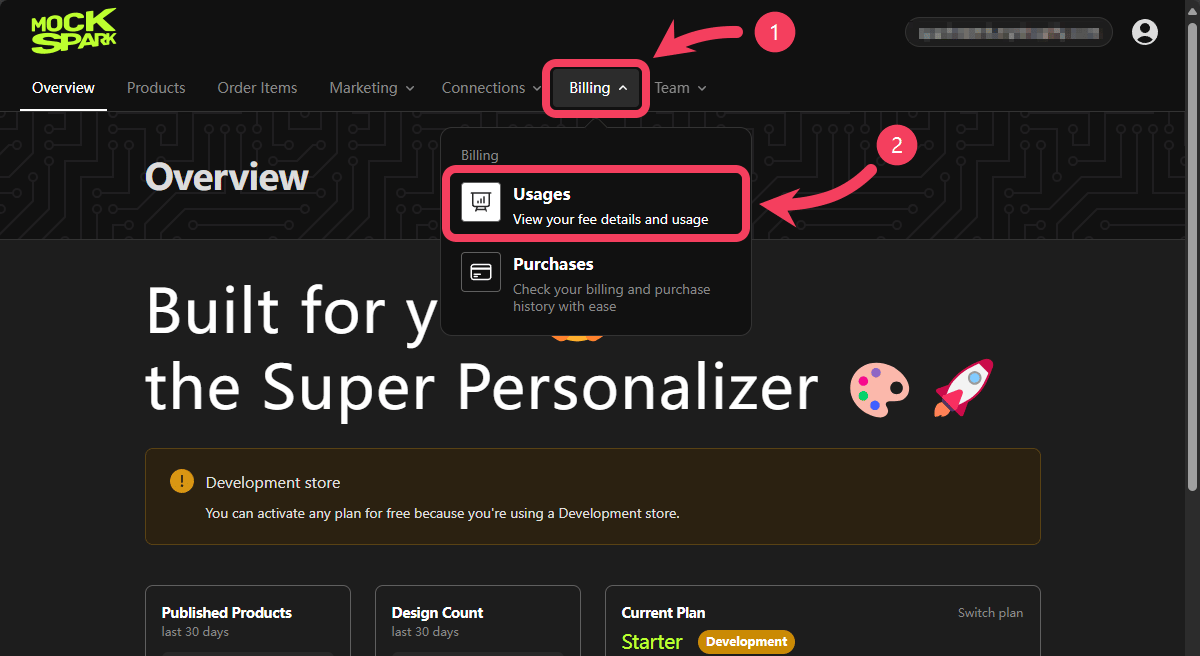
1. Select **Billing** section from the top navigation bar.
2. In the dropdown menu, click on **Usages**.
 ## Search
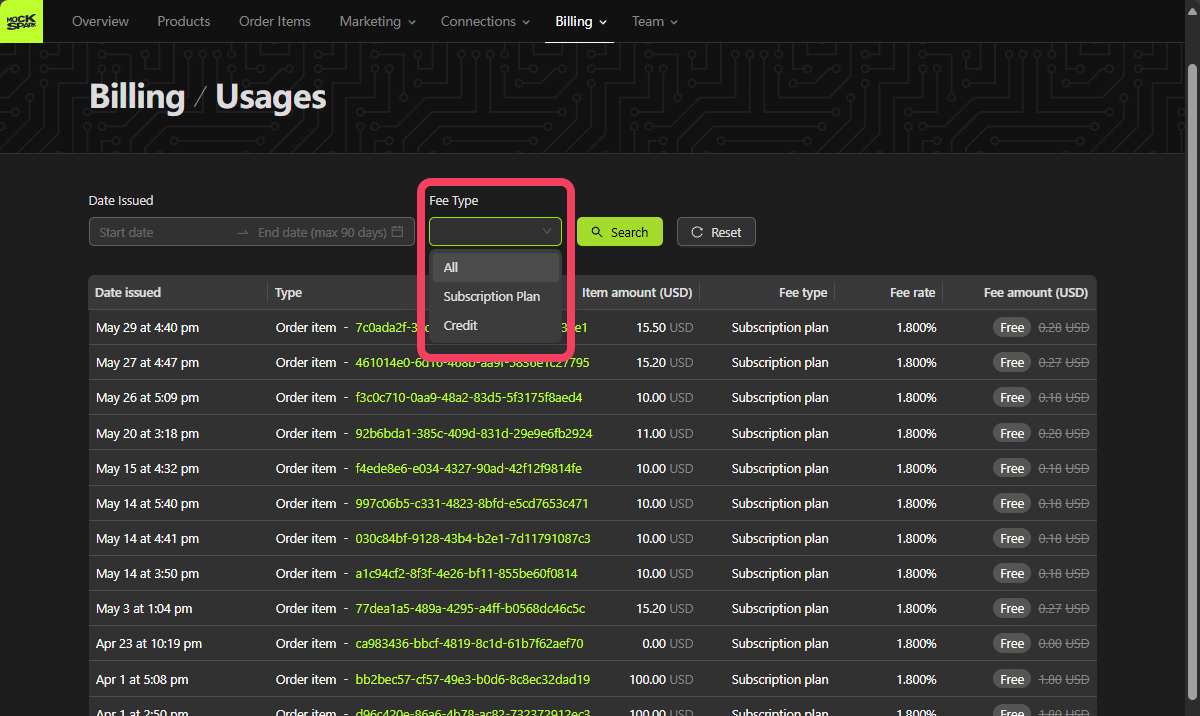
The search area in the **Usages** section supports the following two filter options:
1. `Date Issued`: The date and time when the service was used. You can filter by a date range, with support for searching up to the most recent 90 days
2. `Fee Type`: The Fee Type associated with the service. Supports both `Subscription plan` and `Credit`.
You can apply multiple filters at once to refine your search. Click the **Search** button to view Usages that match your selected criteria.
## Search
The search area in the **Usages** section supports the following two filter options:
1. `Date Issued`: The date and time when the service was used. You can filter by a date range, with support for searching up to the most recent 90 days
2. `Fee Type`: The Fee Type associated with the service. Supports both `Subscription plan` and `Credit`.
You can apply multiple filters at once to refine your search. Click the **Search** button to view Usages that match your selected criteria.
 ## Usages Table
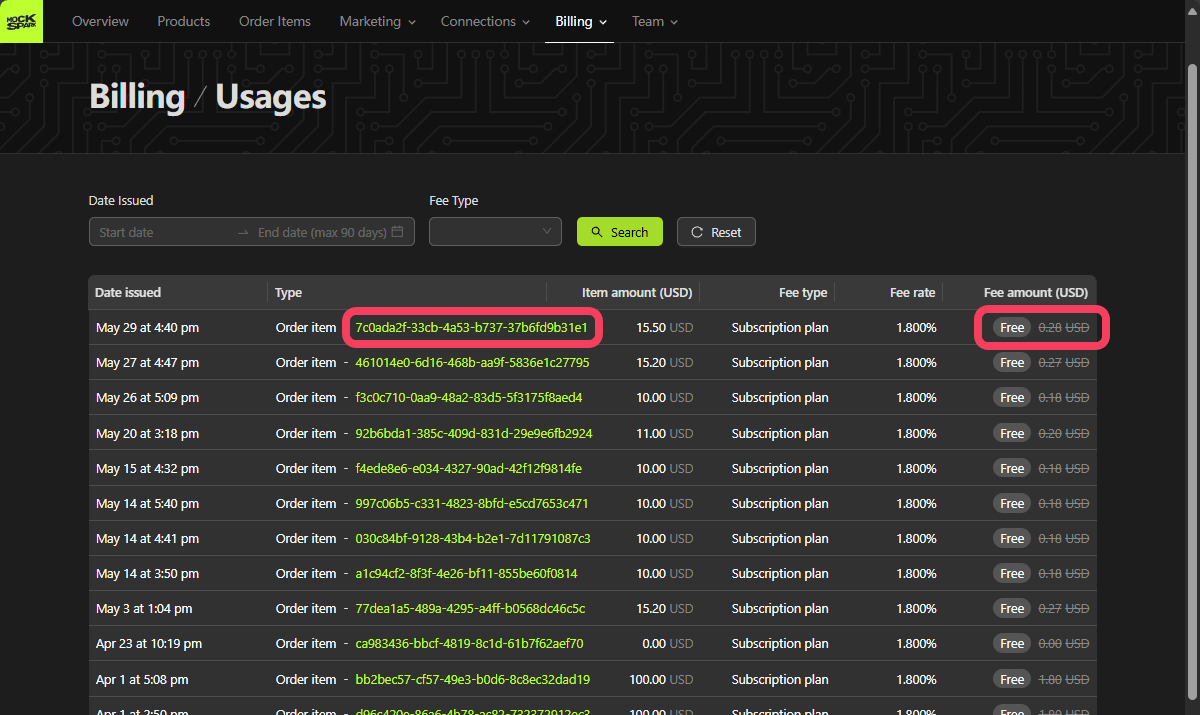
This table shows which services are free, which are paid, and the cost of each paid service.
All fees are billed in USD
Each row in the table represents a single usage record.
## Usages Table
This table shows which services are free, which are paid, and the cost of each paid service.
All fees are billed in USD
Each row in the table represents a single usage record.