> ## Documentation Index
> Fetch the complete documentation index at: https://help.mockspark.com/llms.txt
> Use this file to discover all available pages before exploring further.
# Purchases
> Check your billing and purchase history with ease
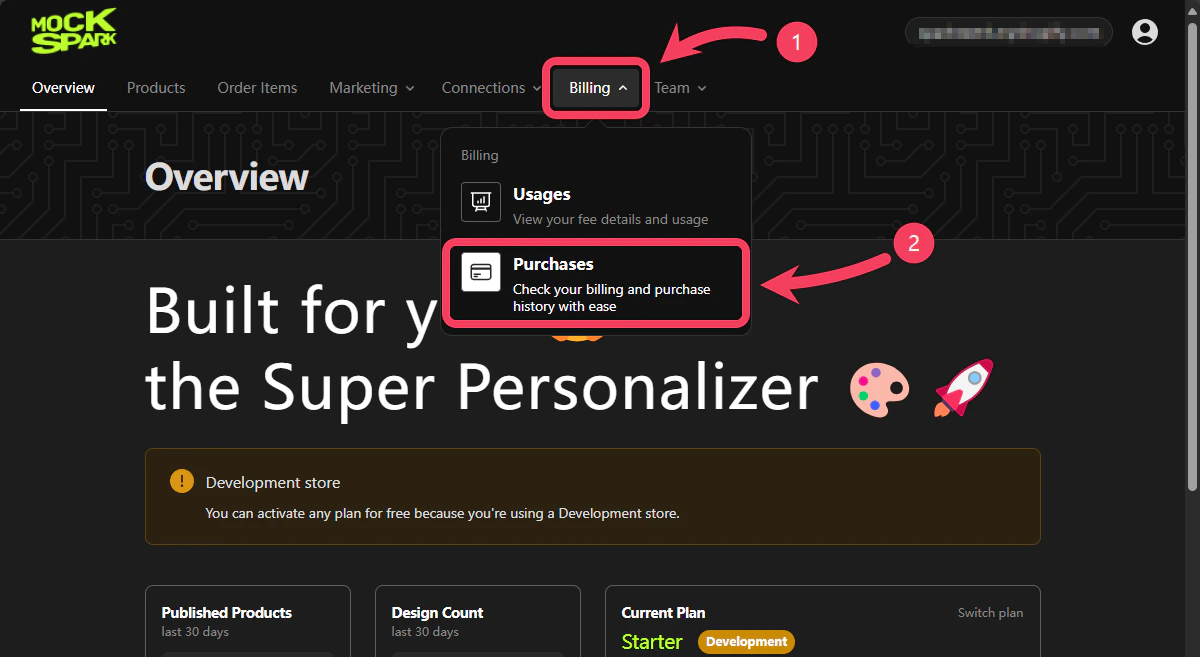
1. Select **Billing** section from the top navigation bar.
2. In the dropdown menu, click on **Purchases**.
 ## Search
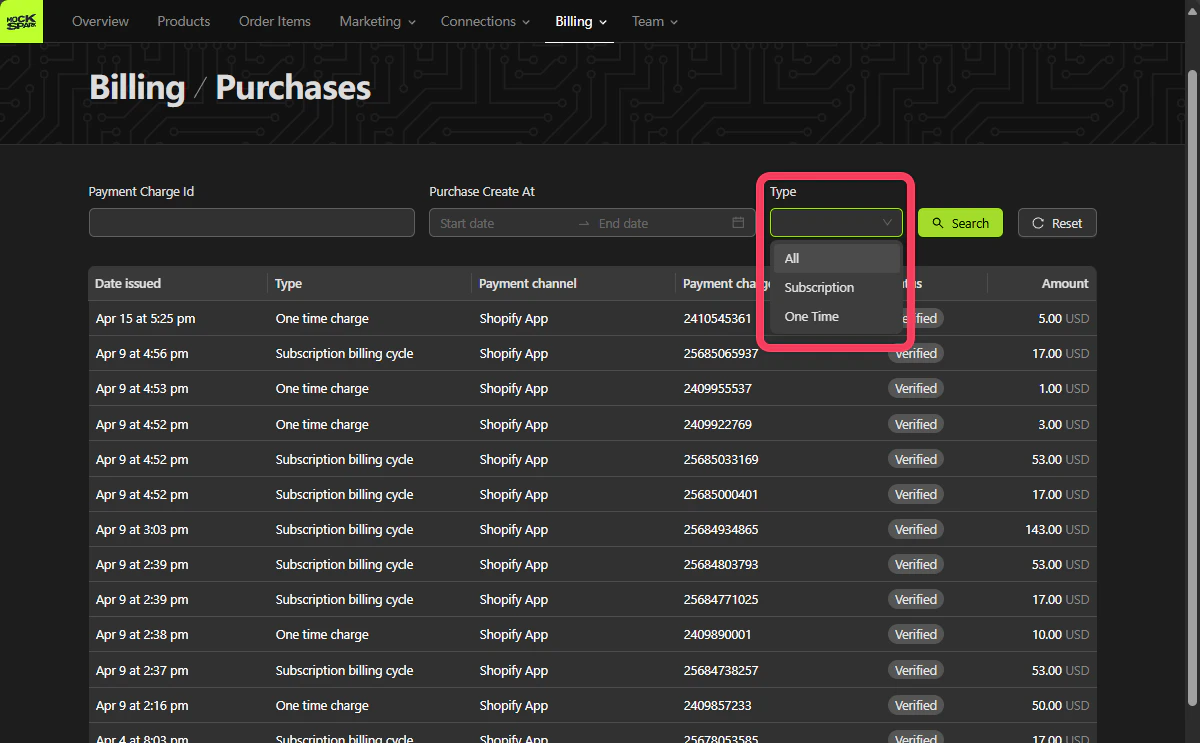
The search area in the **Purchases** section supports the following two filter options:
1. `Payment Charge Id`: The unique Payment Charge ID provided by Shopify after a payment is completed.
2. `Purchase Create At`: The date and time when the purchase was created. You can filter by a date range.
3. `Type`: Type of purchase. Supports both `Subscription` and `One Time`.
## Search
The search area in the **Purchases** section supports the following two filter options:
1. `Payment Charge Id`: The unique Payment Charge ID provided by Shopify after a payment is completed.
2. `Purchase Create At`: The date and time when the purchase was created. You can filter by a date range.
3. `Type`: Type of purchase. Supports both `Subscription` and `One Time`.
 ## Purchases Table
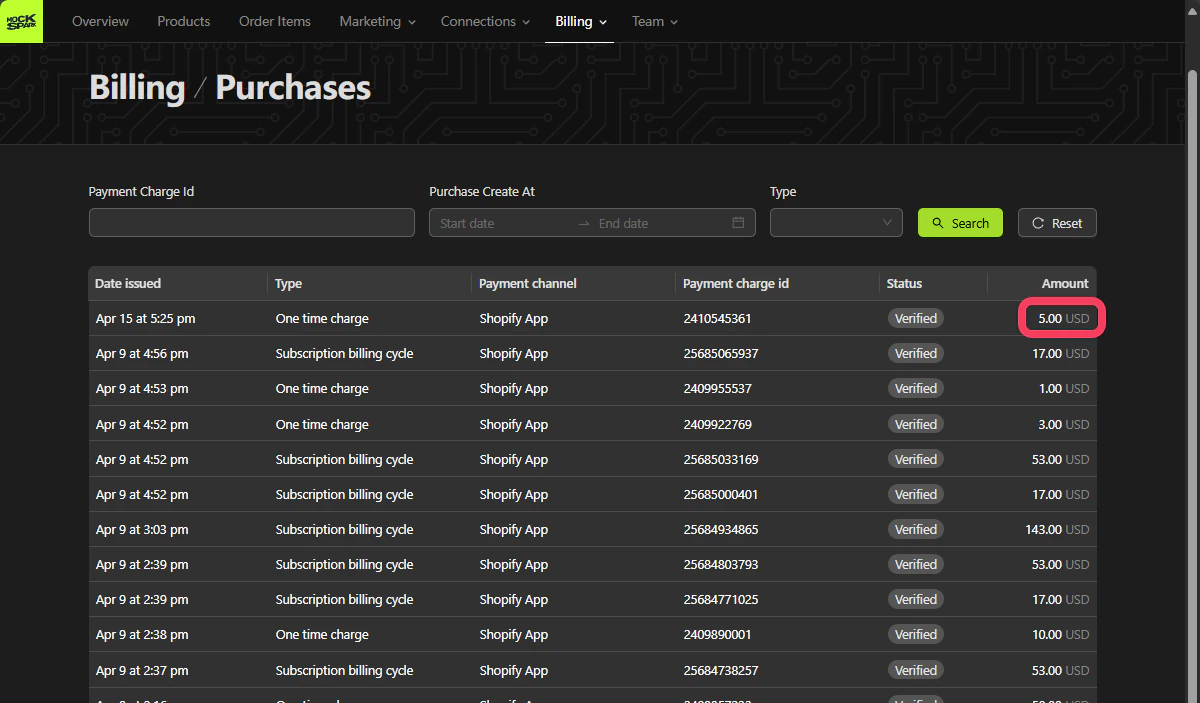
This table lists all your payment records, including subscriptions and one-time charges, making it easy to review and manage your billing at any time.
All charges are billed in USD
To review your billing details further, go to your **Shopify Admin**, then navigate to **Settings** and select **Billing**.
## Purchases Table
This table lists all your payment records, including subscriptions and one-time charges, making it easy to review and manage your billing at any time.
All charges are billed in USD
To review your billing details further, go to your **Shopify Admin**, then navigate to **Settings** and select **Billing**.